Showing posts with label computing. Show all posts

Friday, May 14, 2010

Mobile data rates

Here's a bit of a rant.

Device A connects to the internet via a 3G (UMTS) cellular network. So does Device B. Same carrier, same cellular network, same UMTS technology used to transmit & receive data.


For Device A, a $30/month plan includes 2000MB of data.
For Device B, a $30/month plan includes 500MB.

For Device A, when you exceed your quota, you pay $0.06 per MB for excess usage.
For Device B, when you exceed your quota, you pay $3.00 per MB for excess usage.

Same network, same data, from the same websites. But Device B pays 50 times more per MB for excess usage.

Device A is a 3G wireless internet modem you plug into a USB port on your PC or laptop.
Device B is a phone - which is why I'm not objecting too much to the different included data, because that $30/month also includes a fair amount of voice calls.

However, if you consider voice calls to be yet another form of data, it gets much, much worse.

GMS voice calls use about 30kbps worth of bandwidth for a digital voice signal. That's 1800 kilobits per minute, or 225 kB per minute. 0.225 MB per minute. At the $0.06/MB rate, that's 1.35c/minute. At the $3.00/MB rate, that's a princely 67.5c/minute. The actual call rates on the plan for Device B are 80c/minute.

If we priced voice & other internet data at the excess usage rate of Device A's plan, it would cost Device B $5.23 for the included voice data, and $30.00 for the included internet data.

Not too bad, $35.23 of value for $30!

But it would cost $120 for the data included in Device A's plan, which suggests the *real* cost of data is something less than the $0.015/MB that the included data for Device A is charged at.

That would price Device B's plan at something more like $8.81 for the included data.

However, I can live with paying a bit more for the GSM voice data, if it's given priority transmission to ensure good audio (having bits of lag here & there is bad for voice call quality). So I can live with paying $30/month for something that costs the carrier less than $9.

The worst bit, though? If you actually used a combined total of 2000MB of data on the phone, you'd pay a minimum of $4,500.00 in excess usage fees.

If both devices use 3000MB, Device A gets charged $90.

Device B gets charged $7,530.00.

For the same data. On the same network.


How is that even legal???

Monday, March 29, 2010

Freecell pwnage!


Well, maybe not exactly pwnage... but a respectable effort, I think - that's 50 wins IN A ROW, suckahs!

Sunday, March 21, 2010

Adventures in GUI programming

So, I've been dabbling with a little Qt programming.

I wanted to develop a program that would let me do an easy search & replace for objects in ArmA2 map files. Naturally, while I could potentially write a CLI program, it would be much easier for me (& others who might use it) to have a GUI interface. As I thought writing a windows app would be in the too hard basket, I decided to try out the Qt GUI toolkit.

Not only that, but I installed the NetBeans IDE to do the programming in. The old DevCPP that I've been using for years is still very good (and I've written quite a few CLI C/C++ programs with it), but NetBeans promised to make Qt programming a lot easier.

Shame it didn't make installing all the required software & packages easier... I was rather disappointed, upon downloading the tools I needed, to see that I was promised an almost single-click installation experience - except on Windows.

This is a problem, because ArmA2 is a Windows-only game, so naturally I wanted to do the development in Windows. Not that it really matters all that much where I edit the map files from, but being able to fire up some of the official Windows-only editing tools to check stuff is pretty important.

Needless to say, I did eventually get everything working. I even got the proverbial "Hello World" application to compile & run.

Then I upgraded Qt from version 4.5 to 4.6, and broke everything again. :-(

Took me several hours to fix that problem, which probably says more about my lack of computing knowledge than anything else!

So, I started to code up my app. Quickly figured out how to use the Qt Creator to lay out the application window, with various buttons, checkboxes, and the like. Even figured out how to assign signals & slots to those things that needed them.

I had a moment of feeling pretty chuffed when I got the "exit" button to close the application. :-D

Now I've got the file dialogs working. You can select the input file, and the output file name. It'll even pay attention to those little "read only" & "allow overwrite" checkboxes I put in there.

Then it was time to do the hard part - actually read in the map file.

Well, with the Qt Reference Guide open on the second monitor, it wasn't all that hard. Except for the bit where I couldn't get it to read a float - it kept giving me doubles... turns out that was a compound problem. I was using the reference docs for Qt 4.5, not 4.6, and there's a change between those versions that means a QDataStream defaults to reading double-precision floats, not single.

Fixed that, and had another moment of feeling rather chuffed when I read in the file header (containing 7 or 8 different variables of five different types), wrote it out again to the output file, and compared the two in a hex-editor and found they were byte-for-byte identical for the header. :-)

As I said to the missus earlier - that's 72 bytes down, only 90 million to go! :-D

Wednesday, August 26, 2009

Are Sony really this nasty?

Spotted this comment in the off-topic thread on Groklaw:

And speaking of hardware shenanigans, a friend of mine just recently bought a Sony CD recorder, only to get it home and find out that it wouldn't record on any of his blank CDs. After experimenting, I discovered that it only records on Sony "digital audio" CDs. Talk about product lock-in!

Now he bought it because the burner in his computer was no longer working (would read, but not write), and since he's a musician, he thought rather than replace the one in his computer, he'd buy the standalone because it also let him record directly from analog sources. So I asked him about the one in his computer. He said it stopped working after his wife had upgraded something on the computer.
That made me think "hmmmmm", so I offered to look at it. Surprise!
The 'upgrade' his wife had done was to replace the CD burner... with a Sony! So I popped a blank Sony CD into that, and lo and behold, it suddenly worked.

Not sure how that's legal, but they are clearly doing it. But they lost a customer... he took the recorder back to Best Buy for a refund, and he's replacing the burner in the computer.


That's kind of weird, and you think would fall afoul of various laws relating to consumer protection & anti-competitive behaviour. I'm pretty sure it would be illegal here in Oz unless the fact the burner only worked with Sony branded CDs was prominently marked on the box.

I presume the guy is trying to burn standard Redbook audio CDs, so I can't see any reason why any other media wouldn't be acceptable, other than Sony trying to force people to buy their (often overpriced) product. Just like the printer manufacturers & their proprietary ink cartridges, I suppose.

Does anyone know anything more about this issue?

Sunday, August 2, 2009

One more annoying thing about Windows

Ok, today's annoyance: I moved the computer around (actually, I moved all the furniture in the study around, but that's another story).

When I plugged everything back into the computer, I didn't bother to make sure I plugged all the USB cables back into exactly the same port they came out of.

Upon booting into Windows, I'm greeted with the "found new hardware wizard", and my (USB) keyboard & mouse don't work. A hard reset later, and at least the k/b & mouse work, but I still get Windows asking me to install drivers for my TrackIR5. Which was already installed & working prior to the move...

This isn't the first time this has happened to me. It seems that Windows decides that because this piece of hardware wasn't plugged into that particular USB port, it must be a new piece of hardware that needs new drivers installed, and not at all the same as the one that was plugged into that other USB port at the last boot, and which isn't on that other port any more...

Grrr...

If only my games were playable on Linux.

I don't suppose anyone knows how to get ArmA II (Steam version) & SupCom working via Wine?

Thursday, June 25, 2009

Windows vs Linux, part 9,457

Something occurred to me the other day.

I had booted up the Windows 7 Release candidate, and was running various update programs & the like, installing the latest version of Firefox, etc etc.

Then I thought, "Hey, I might log on to Warcrack & have a quick game".

Only one slight problem - I haven't installed World of Warcraft on Windows 7 RC yet.

And when you're looking for a "quick game", you don't want to have to install WoW before hand. We're talking 6 CDs for the original game package, then another 4 CDs for the Burning Crusade addon, then a DVD for the Wrath of the Lich King addon, then about 2.5 gigabytes of assorted patches. Yes, it takes frikkin' hours...

Then it occurred to me - if I was using my Kubuntu Linux install, and I wanted to upgrade from Kubuntu 8.10 to 9.04, for example, I'd just hit the "dist upgrade" button, go make a cup of tea, and when the upgrade had finished, I would just fire up WoW & play. I wouldn't have to reinstall all of my apps just because I upgraded the operating system files.

Yet another example of the robust Unix-inspired design of Linux, and the not-so-robust nature of Windows. A lot of that has to do with how the apps are installed, though, from what I understand. With Linux, apps install all of their files into one directory, with maybe a single text-based configuration file somewhere else (/etc/config for many, I think). User-related data files are stored in the user's home directory (/home/). When you upgrade the base operating system files, you don't have to touch the program or home directories, so that stuff is still there & works fine (unless, maybe, you have an app that doesn't want to work with a newer version of some core OS files, which as I understand it is pretty rare in Linux).

Windows, on the other hand, has a system where applications are stored under C:\Program Files, but all of their configuration information is stored in a single, massive, configuration database that's common to both the operating system and every app installed. It's called the registry. You might also have "shared" library files that are installed to C:\Windows\System32 or similar places. You will also have some other configuration information & files saved to C:\Documents and Settings\ and/or C:\Documents and Settings\ as well.

Of course, when you install a new version of Windows, the first thing that goes is the registry. And everything in C:\Windows & subdirectories. If you were to do a Windows upgrade, a lot of that info would be kept, but nearly every computer-savvy person out there will tell you that upgrading Windows is a bad idea, and you should always do a clean install, either by wiping the hard disk or by installing onto another clean partition. This is to avoid problems with corruption of the registry file, mostly, as I understand it. Which highlights another problem Windows has - the registry generally fills up with all sorts of crap over time, and is quite likely to become corrupted in some fashion over a period of three years or more. If you've got a Windows install that's still working after five years, it's a rare beast (the best I've managed is three and a half, and that machine got a corrupted registry on the very day I was trying to show it to a potential buyer, requiring a complete reinstall).

So the recommended method of upgrading Linux is to just upgrade your OS files, and everything else will (most probably) still work fine.

The recommended method of upgrading Windows is to wipe your hard disk and start from scratch, reinstalling every single application, utility, and addon you use.

Hmm...

Methinks the folks at Microsoft need to work on that.

Tuesday, February 3, 2009

The once and future e-book


The iRex iLiad - one of the contenders, but at AUD$1200, that's a whole lotta paperbacks!

I read a rather interesting article on Ars Technica this morning. I highly recommend it, if you're at all interested in electronic devices and the potential for them to be used for storing books (novels, encyclopedias, textbooks, reference books, pretty much anything).

I liked this particular quote:
Everything is set for another run at this e-book thing. Will Apple wake from its apparent slumber and pull the sword from the stone—the sword that's currently taped to its hand and sheathed in a teflon-lined crevice?


The iLiad shown above is probably closest to what I'd like in an e-book reader - something that's got a great screen, and the ability to make notes & drawings.

The wish list, however, is still large:
  • Colour screen, with video support;
  • WiFi (so you can use it for web browsing, natch!);
  • Handwriting recognition (even something a la Palm's Graffiti - those glyphs are easy to learn, and fast to write);
  • Something more than 256MB of internal memory (really, that's kinda small these days, although the ability to slap in large capacity CF cards is nice);
  • User-swappable batteries - I mean, a 3-hour charge time doesn't help much when your battery goes flat mid-flight;
  • A price a bit lower than that of a full-on notebook PC;
  • e-books that are priced realistically. Come on, $19.95 for an electronic edition that costs $0.00 (to the nearest cent) to reproduce? Haven't you book publishers learned *anything* from watching the digital music scene?
In the meantime, the author's suggestion of an iPhone would be neat, too (although I'd probably prefer a larger screen for reading books). If only the electronic versions of books weren't (a) damned expensive, and (b) frequently not available at all.

Dymocks here in Oz claim to have 94,000 e-books available for purchase. The problems with that:
  • they're spread across at least four different (incompatible, natch) digital formats;
  • many of them are as expensive, if not more so, than their dead-tree equivalents, and that's on top of having to pay $$bigbucks for a portable device capable of displaying them;
  • all of them have DRM, which is just plain bad news for paying customers, but not for 'non-paying customers' (or pirates, as the publishing industry likes to call them).

Actually, I've a recent example of that. I tried to install & play my copy of IL2:1946 on Windows 7 on my PC at home. IL2 is a fun game, and well worth paying for IMHO. It's just a shame that I couldn't get it to run on Windows 7, because of the @#$% copy protection. I had to download a crack for the game just to run it. I might as well have just downloaded the whole game, right? Would have saved me a lot of aggravation, because it would have worked first time, and I wouldn't have spent a day trying to figure out why it wouldn't run.

Anyway.

Go read the article, it's worth it.

Tuesday, January 27, 2009

Saturday, January 17, 2009

Initial thoughts on Windows 7

Well, I got around to installing the beta earlier in the week. It was a relatively painless process. I had a spare hard disk (it used to be my data store, but 160GB just isn't enough these days, so I bought a 750 for that), and just pointed the installer to that after booting from the install DVD. It took about an hour, all up, including downloading updated drivers for my Nvidia vid card & the onboard sound.

The only hitches were (1) that it picked the wrong monitor to assign as my primary (oh, yes, let's use the 17" screen as the primary, and the 22" as the secondary, that makes sense!), and (2) I couldn't see my WinXP drive anywhere in Windows Explorer.

Both were easily fixed - the Nvidia control panel let me swap the screens, while the disk management console (when I eventually figured out how to access it) let me assign a drive letter to the WinXP partition. I think that might have been an issue because it was a "C:" partition too. But there's no problem accessing it in Win7 now.

Generally, it works well. The GUI is different - the new task bar is much more usable - more like the Mac OS X dock. I still haven't quite wrapped my head around the new start menu, but that's because I've barely used it.

Armed Assault & World of Warcraft both work well, as does Firefox (including sharing the same profile - bookmarks, toolbars, etc - between the versions installed under Win7 & WinXP). I haven't run into any show stoppers yet. For beta software, Win7 is pretty good.

So, while I'm not entirely happy about the DRM / content protection side of things, that's not really an issue so far, as (a) I use VLC to play all of my media, (b) I don't actually have a Blu-Ray drive or discs, and (c) I can always boot into Linux... :-D

Actually, there's another issue - the Win7 installer overwrote the GRUB boot sector, so I'll have to boot off a disc to restore GRUB so I can boot into Linux.

Anyway, it's good to know that there will be a functional version of Windows for my gaming needs after WinXP goes the way of the dodo (which I believe is officially at the end of January - although you will still be able to get it in some OEM systems until May or June).

Monday, January 12, 2009

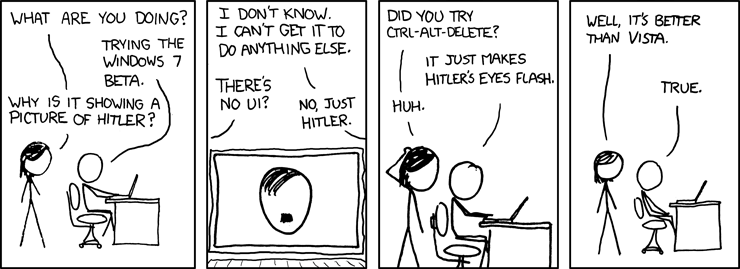
XKCD FTW again!


I actually downloaded the Windows 7 beta on Saturday. Had to wait until Sunday to get a key to install it, though. And then didn't install it, because (a) we went to see a movie (The Day the Earth Stood Still - not bad), then (b) I spent the rest of the day working on my speakers.

Sanded back the filler I'd put on the sub (to fill the cracks at the panel joins), sanded back the main I'd given a preliminary coat of paint - and discovered that acrylic paint doesn't sand too well unless it's super dry - it'd only been on there about 20 hours, which apparently wasn't enough. Although some of the issues I saw may have been because of the very smooth & sealed primer on there - the acrylic had trouble bonding to the primer, I think.

Then I spent a few hours making up grill frames for the front mains. Cut some 12mm MDF to size, then marked & cut out the holes in the middle. Gonna take a while to sand / finish it, but the bulk of the work is done. I need a new 54mm holesaw, though - the el-cheapo one I've got is now very, very blunt, after being used to cut another 24 holes! :D

Anyway, back to work...

Sunday, November 16, 2008

You want me to wait HOW long?

Ok, so as I've stated on here before, I play Warcrack (er, World of Warcraft).

For those of you who don't follow these things, a new add-on pack was just released for Warcrack - the second addon in about four years, in fact. The Wrath of the Lich King. Whoever that is (I don't really get right into the story, unlike some).

So, anyway, last weekend I logged on, played for a few hours, logged off, nothing unusual.

This weekend, I go to log on. Oh, no, it says, you need to wait, as the server is full. You're position 519 in the queue, and that'll take about 30-odd minutes on average - obviously, they get about a thousand people an hour logging on/off when the servers are full.

No biggie, says I, I'll log onto the other server I have characters on.

"You are position 1,479 in the queue..."

I didn't bother waiting to see how long that was going to take. :D

I think I'll go play Armed Assault instead, and log on to Warcrack later, when it's about 3am in the US, and all the addicts have gone to sleep. Well, some of them, anyway!

Tuesday, April 29, 2008

Withdrawal symptoms ahead!

Heh...

You get so used to the instant access, that it does feel a little bit like the end of this clip when your connection is down.

Imagine what it'll be like in 20, 50 years time, for people who have been "jacked in" since birth. What will they think when they go "offline" for a few hours, days, or even weeks?

Thursday, April 24, 2008

Video Ju Jitsu

Now this is impressive. And a good example of the wondrous things that can be achieved with computers these days.

Found via Dan Rutter's blog.

Monday, April 7, 2008

Heh, this is funny...

Found this via ITwire.com.au this morning.